
Why I turned off automatic updates on every website I look after
Almost every guide to keeping a small business website safe says the same thing: turn on automatic updates. I look after about two dozen websites, and I turned the built-in automatic updates off on all of them. The sites are updated more carefully than before, not less often.
The reason is one missing step, and it is a step you can check on your own site in five minutes.
// WHAT IT SKIPSWhat an automatic update skips
A WordPress site is a stack of parts from different makers: the software itself, the theme that controls the layout, and plugins for forms, payments, search rankings and analytics. Each one ships updates on its own schedule.
When you switch on automatic updates, each part installs its own updates the moment its maker releases them. Nothing makes a copy of your site first. Nobody opens the pages afterward to see whether the contact form still sends or the checkout still totals correctly.
That is fine ninety-nine times in a hundred. The hundredth time it is the plugin that handles your forms, your payments or your page layout, and you find out when a customer tells you.
// THE AUDITWhat I found when I looked
In August I audited the sites I can reach directly, 21 of them, for anything updating itself. Twelve had at least one thing doing it. The forms plugin was updating itself on five. An analytics plugin was on four. The theme that controls the whole layout was on two. An SEO plugin and a site-management plugin turned up as well.
That was not policy. It was accumulated defaults and checkboxes ticked once and forgotten, the way it happens on most sites.
I switched every one of them off that day. Now a check runs every Monday and emails me only if something has switched itself back on.
// THE ROUTINEWhat I do instead
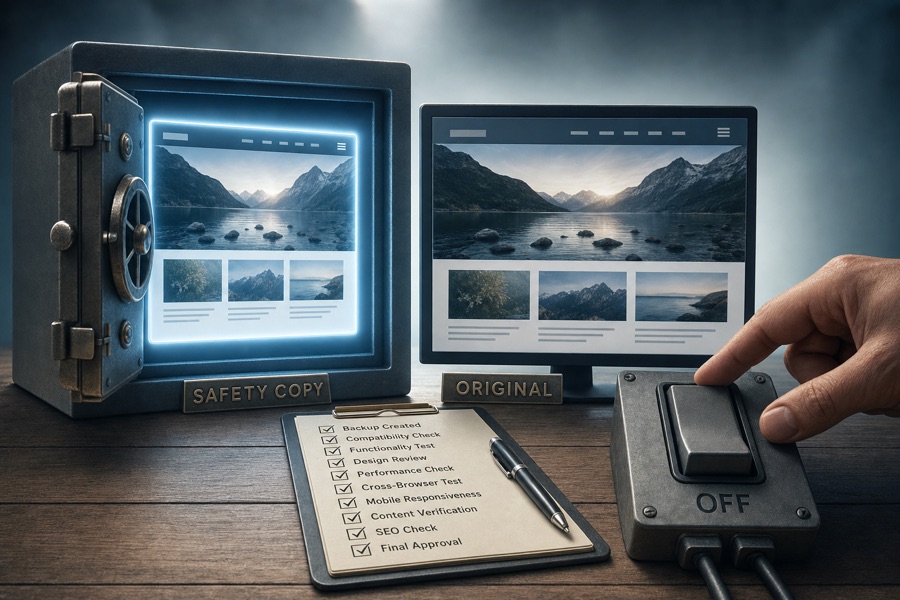
The sites still get updated. They get updated through a fixed routine:
- A backup first. A restore point on the hosting account, taken right before anything changes.
- One site goes first. I update one low-risk site, confirm it, and only then do the rest.
- A before and after check. For each site I record the front page, the login form, how many forms and submit buttons are on the page, and the tracking tag. Then I run the same check after the update and compare.
- Big releases wait two weeks. A version ending in .0 is often followed within days by a fix for whatever the first release broke. I would rather install the fix.
- Security fixes do not wait. A plugin flagged as vulnerable goes in right away, through the same backup-first routine.
My AI system runs the steps from a written checklist, over a secure connection to each site. I wrote the checklist and I decide what is on it.
Here is what that looked like on a recent run, on September 25. It covered 17 updates across 11 sites, from the security plugin to the forms plugin to a theme. It took about 50 minutes. Backups ran first, one site went first, and 31 pages were checked before and after. Zero changes showed up on any page.
The routine is not slow. What makes it careful is that the steps are fixed, so nobody has to remember them.
// THE TRADEThe trade
Updates reach your site a little later than they would under automatic updates, up to two weeks for the big releases. In return, every update lands on a site that has a restore point behind it and a person confirming the pages afterward. For a business that takes orders, collects donations or books appointments through its site, I think that is the better side of the trade.
// CHECK YOUR SITECheck your own site
You do not need to change anything to find out where you stand. Log in to your site’s admin area and open the Plugins page. Look for the column headed Automatic Updates. If any plugin says “Auto-updates enabled,” that plugin is installing its own updates with no backup behind it.
Then ask whoever looks after your website three questions:
- Is a backup taken right before updates run?
- Who looks at the site afterward, and what do they look at?
- Which parts of the site can update themselves without anyone being told?
If the answers are quick and specific, you are in good hands. If they take a while, that is the thing to fix first.
If you want a second set of eyes on how your site gets updated, get in touch. It usually takes one conversation to see how it is set up today.